

Installing and Downloading - You do not need to download a separate installer for this expansion. After updating the app to the newest version, open the MIDIculous app and unlock the expansion from inside the app. Once it is unlocked, you will be able to download and access the sounds. Follow the instructions below to complete the process.

📥 Download the Newest Software Version
🎬 Please watch the demo video here. The instructions below will show you how to download the newest version of the software and access your license key and/or serial number:
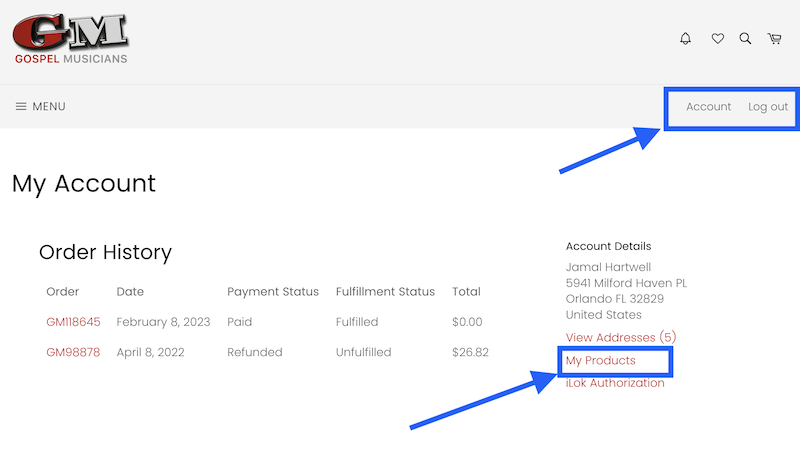
- Go to GospelMusicians.com
- Log in to your account
- Go to the Account Area
- Click on My Downloads
- You should see your products in the list and their associated license keys if applicable.
- Click the red Download button to access your downloads.
💡 Activating the Signature Keys Expansion
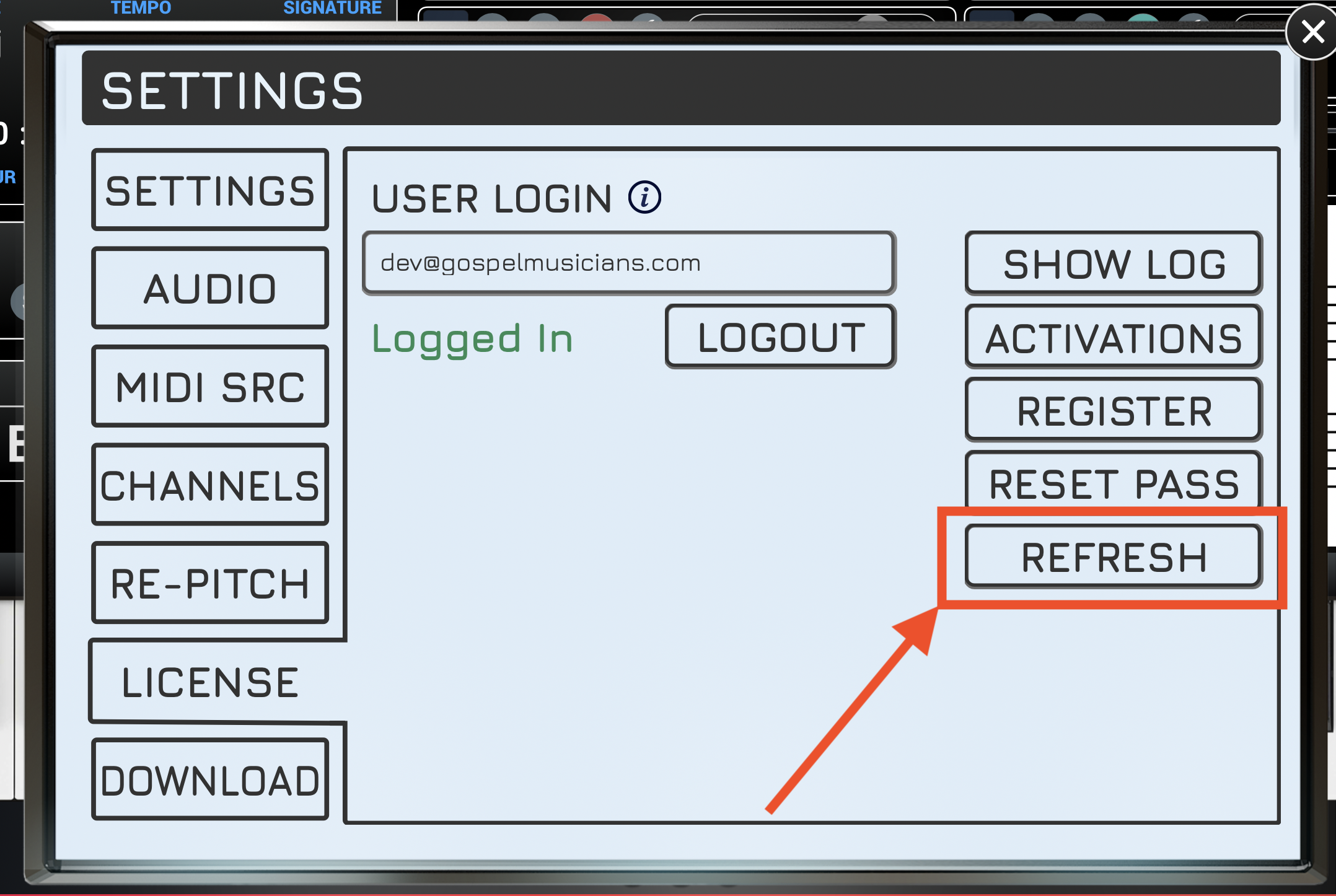
Once you have purchased Signature Keys, go to SETTINGS and click REFRESH to update your activation and license. After the update, you will see a new menu item where the Signature Keys text is no longer pink, confirming that you now have access.
💾 How to Download the Sounds
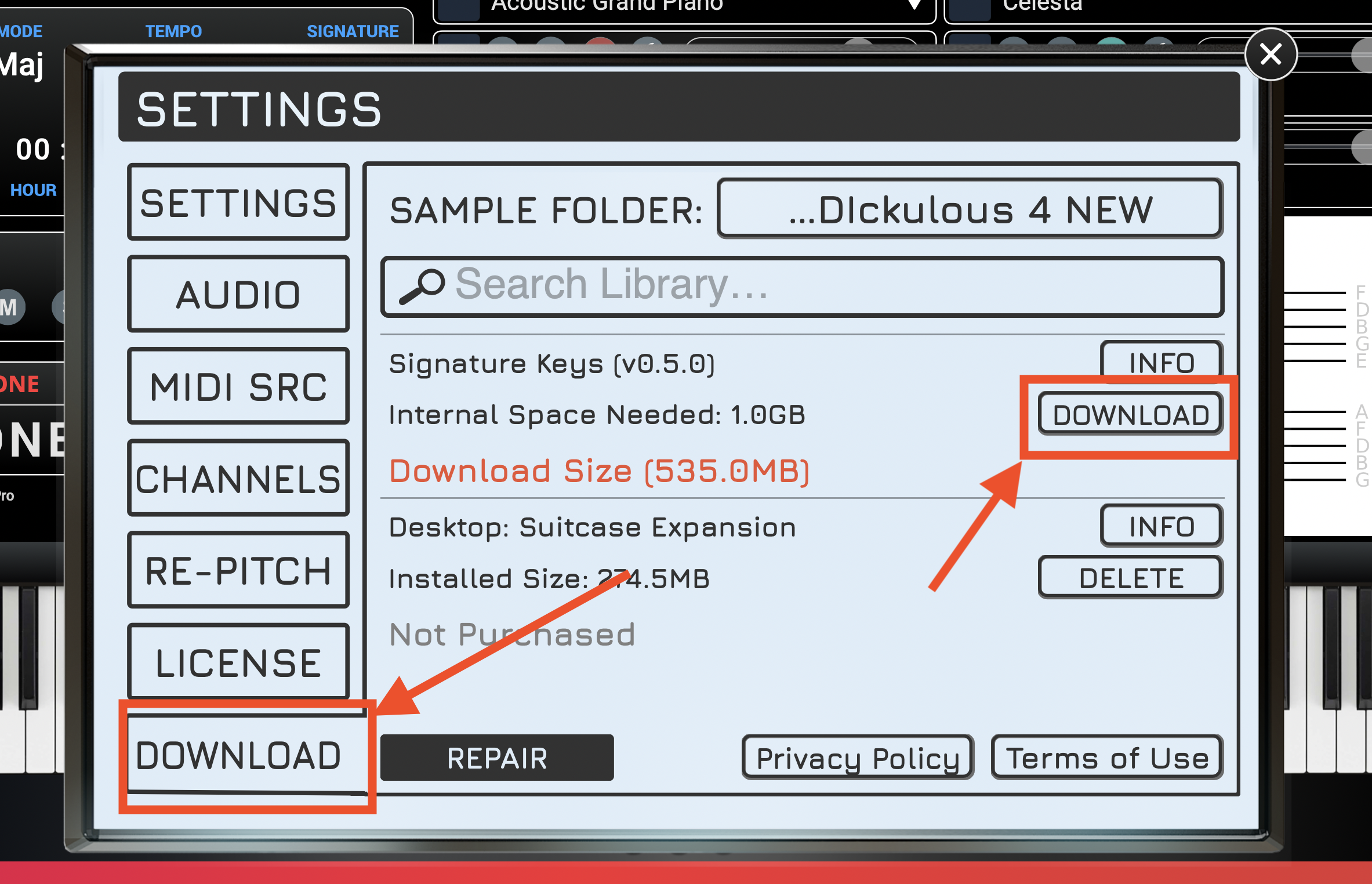
Go to SETTINGS, then open the DOWNLOAD tab. You will see a Download button for Signature Keys. Choose the SAMPLE FOLDER location, then download the sounds.
🎧 How to Access and Play the Sounds
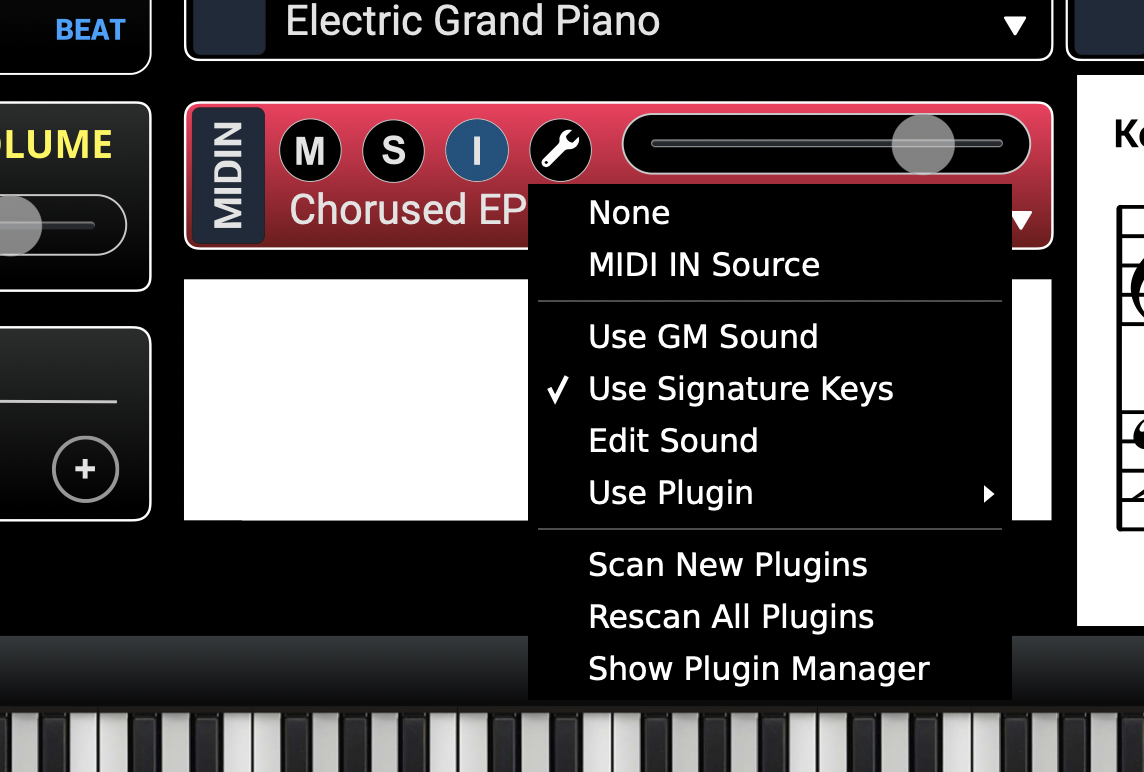
Click the Wrench for MIDI IN or a MIDI channel, then select the Use Signature Keys option. This allows you to use Signature Keys for your piano sounds.